
The whole field on one screen.
What it does
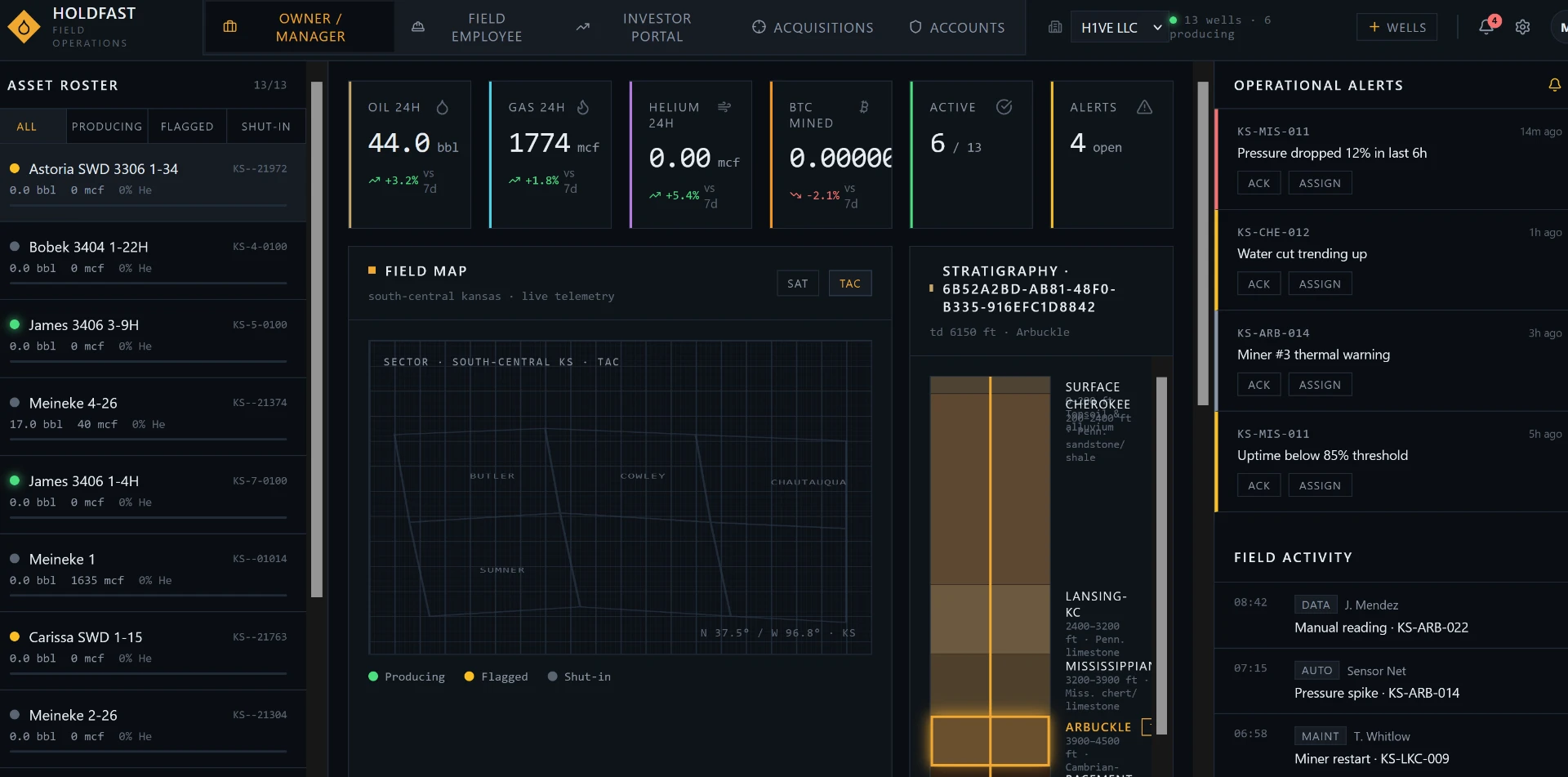
Asset roster
Every well with live status — producing, flagged, shut-in — plus current bbl, mcf, and helium readings without opening a single sub-screen.
24-hour production tiles
Oil, gas, helium, and (where applicable) mining output with 7-day comparisons, so you know within seconds whether today is normal.
Field map + stratigraphy
Satellite or tactical map of the lease with per-well telemetry, tied to a formation column for the selected well.
Alert queue with ownership
Pressure drops, water-cut trends, thermal warnings, and uptime breaches — each one acknowledgeable and assignable to a name.
Field activity log
A running record of manual readings, automated sensor events, and maintenance actions with timestamps and who did what.
Switch between operating entities from the header — separate rosters, separate numbers, one login.
Overview, Field, Investor, Acquisitions, and Accounts are separate workspaces on the same data.